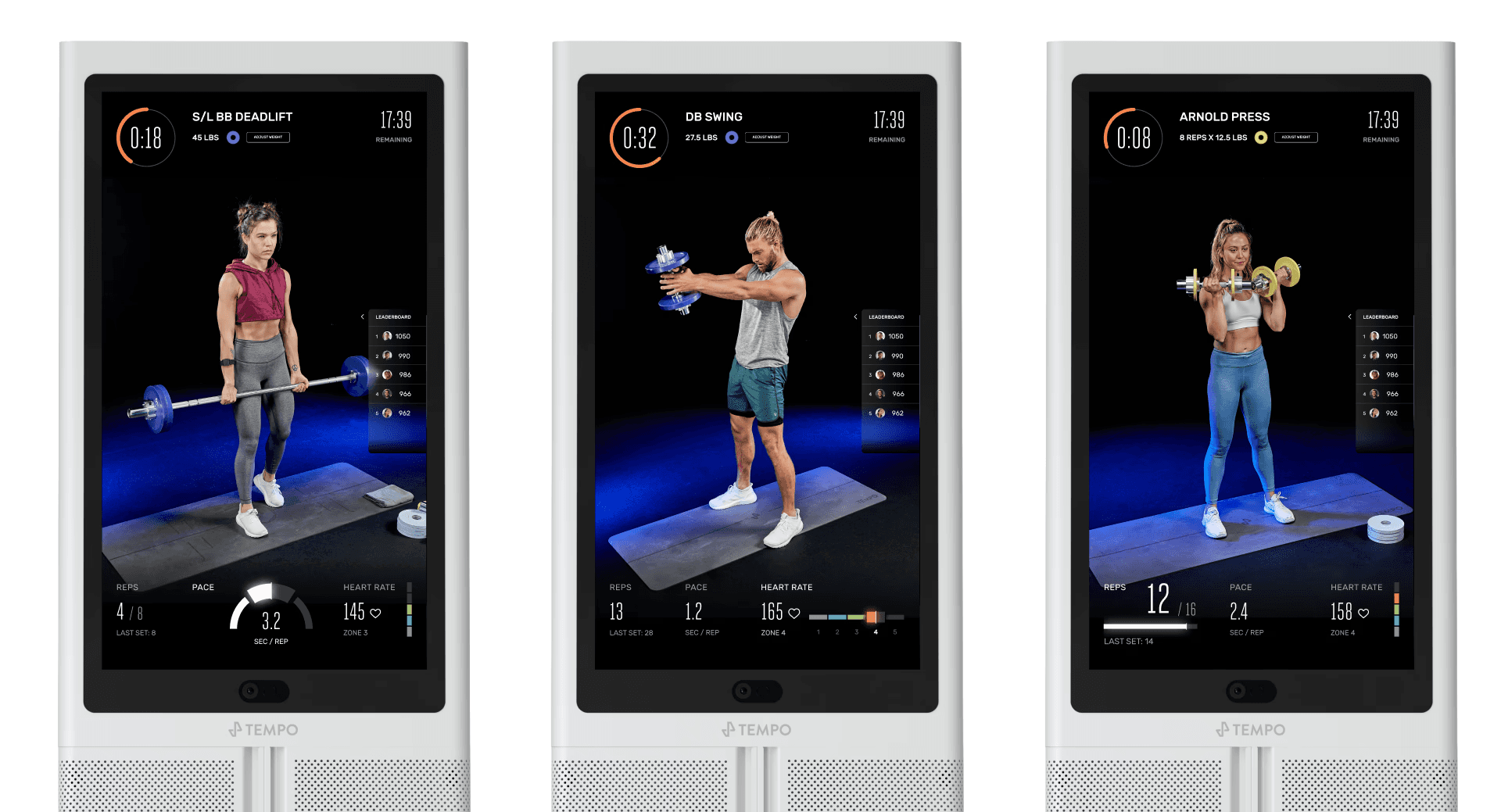
Turning Tempo’s Workout Metrics into a Coaching System
Tempo’s early workout UI showcased everything the system could track — reps, tempo, heart rate — but treated each metric equally.
Partnering with Tempo’s fitness science team, I redesigned the interface around a dynamic metric hierarchy that adapts to each workout type, turning real-time data into a coaching system that guides user effort in the moment.
Role
Lead Product Designer
Team
Product, Engineering, Fitness Science
Timeline
2 months
The Challenge
Tempo launched with a technology-first workout interface. The system could track nearly everything — reps, tempo, heart rate, time under tension — and the UI surfaced most of it at once.
But strength training isn’t about monitoring every metric simultaneously. Different workout styles require different signals, and displaying all metrics equally created noise. Members had to interpret multiple signals mid-movement, which increased cognitive load and diluted the coaching value of the experience.
For Tempo to be a guided workout product, this was a fundamental problem: if the interface didn’t clearly signal the goal of each exercise, the system wasn’t truly coaching.
Design Question: How might the interface reinforce the primary goal of each workout while members are mid-movement and cognitively taxed?
Constraints & Context
Designing this system meant navigating several product constraints:
• Real-time performance data streamed continuously during workouts
• Users viewed the experience across multiple physical positions
• Workouts combined multiple training modalities
• Cognitive load needed to stay extremely low during exertion
• The product relied on input from Tempo’s embedded fitness science team
This couldn't be just a visual interface—it needed to translate training principles into clear, real-time guidance.
Core insight: Effective training requires focus. And focus requires hierarchy.
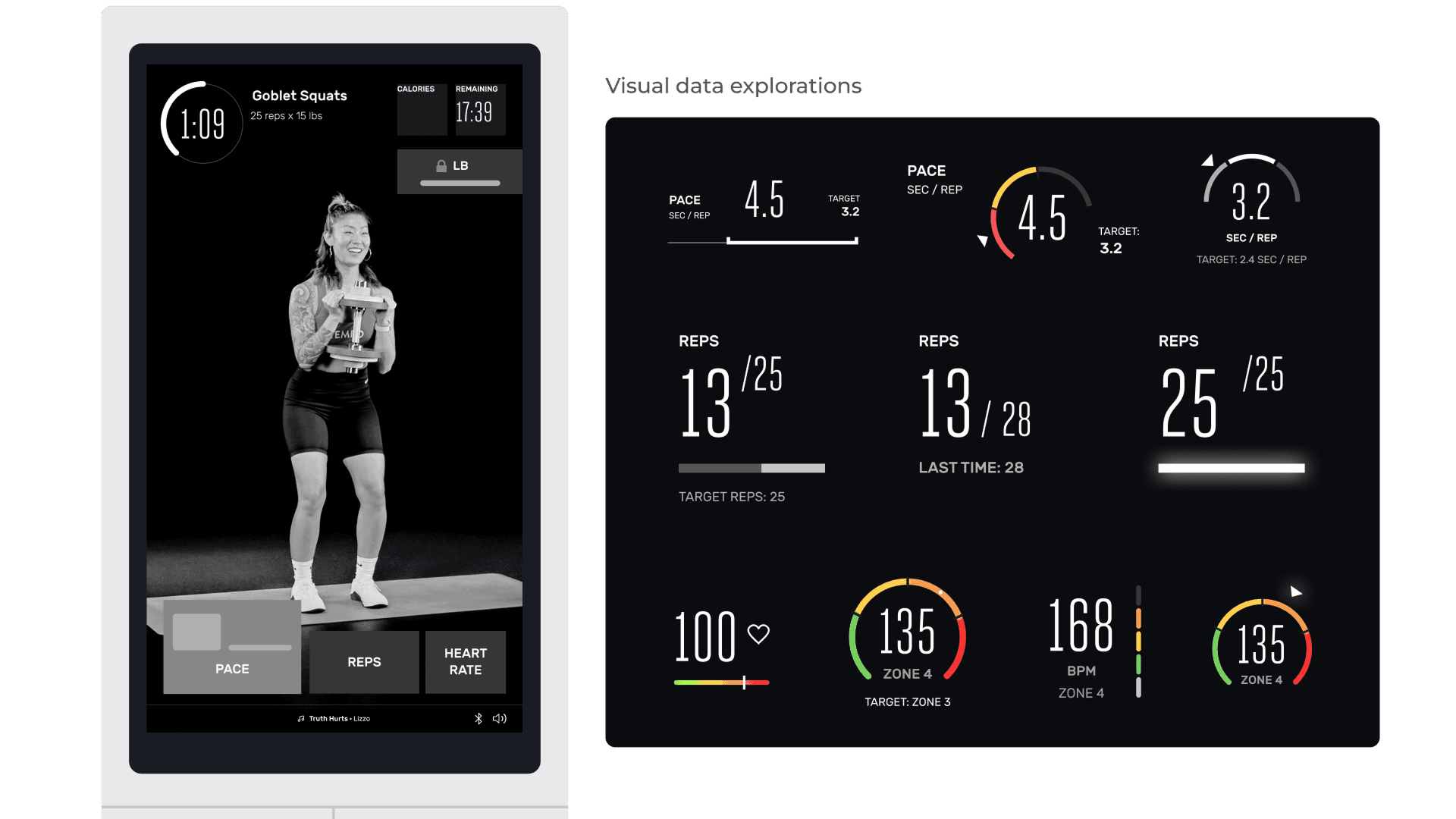
The Framework: Hero Metrics
We introduced a dynamic hierarchy system:
Large State (Hero)
Visually prioritized metric aligned with the set’s training objective.Small State (Support)
Secondary metrics remain visible but reduced in emphasis.
Each set could programmatically elevate the most behaviorally relevant metric, transforming the UI into a context-aware coaching system, and providing maximum focus for the user.
System Applications
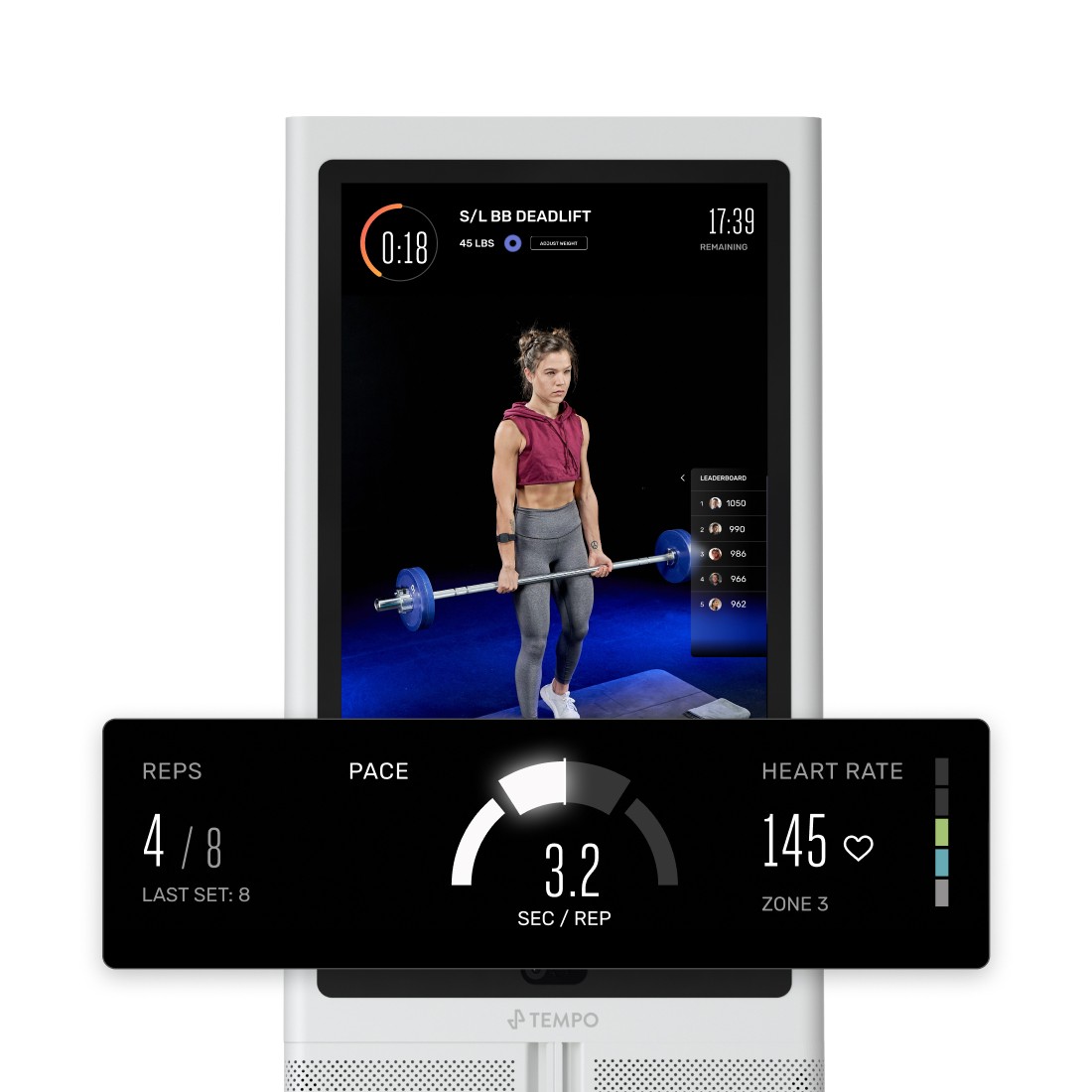
Pace – Strength Training
In strength training, tempo drives muscle engagement and injury prevention.
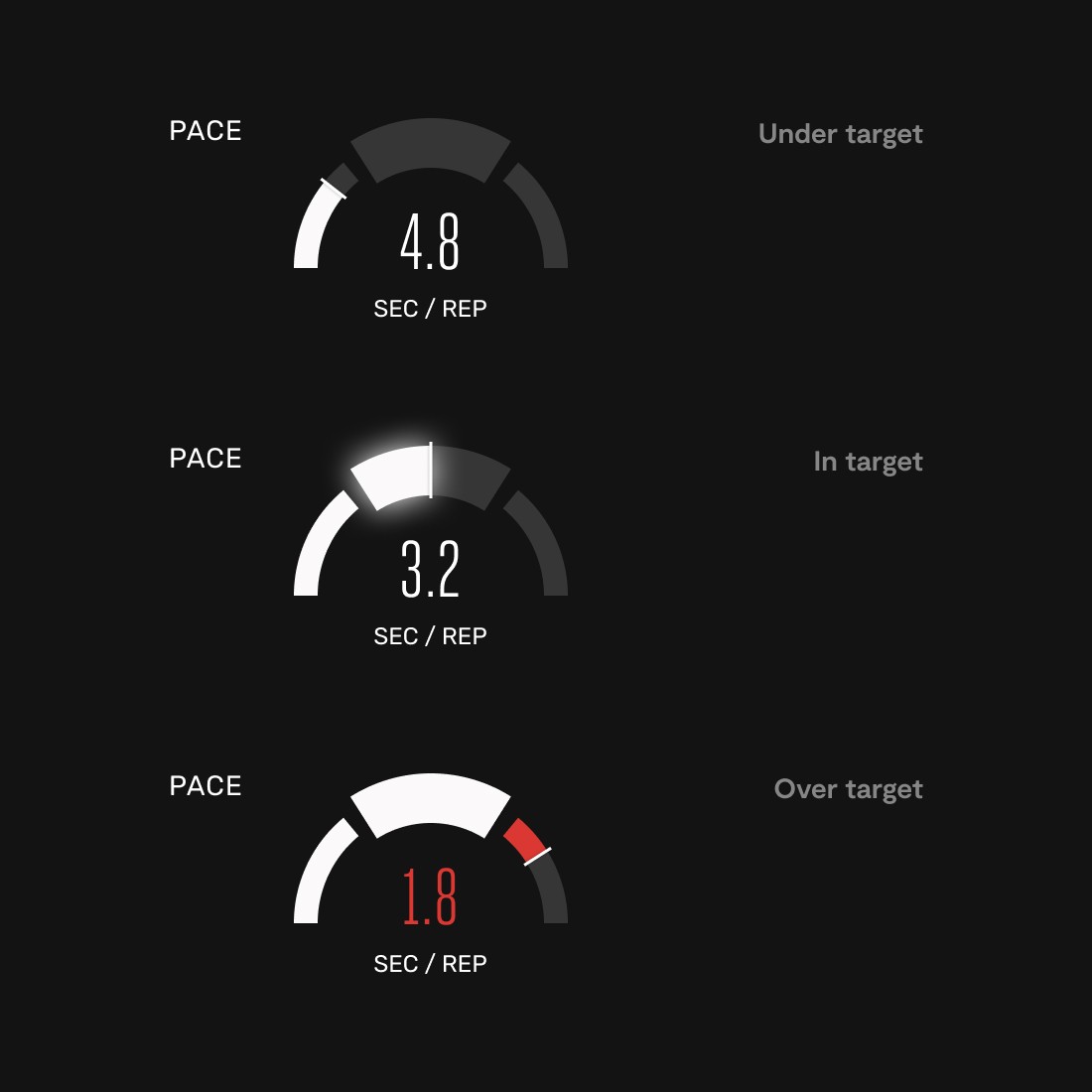
We designed a pace meter that:
Tracks rep speed
Highlights optimal tempo range
Rewards sustained control
Design decisions:
Too slow → neutral (white)
Too fast → corrective feedback
In target → progressive glow intensifies with consistency
The glow system reinforced rhythm without being punitive.
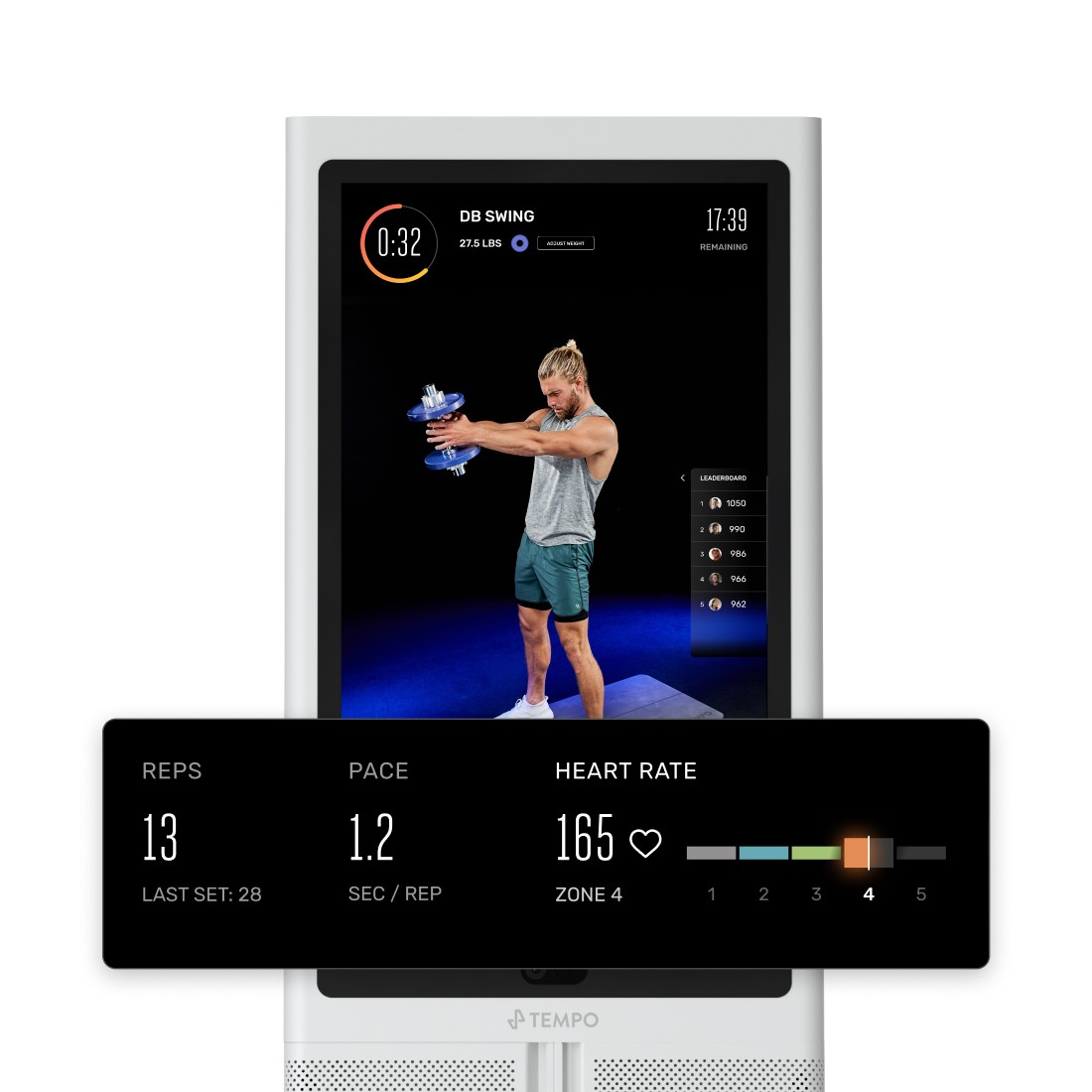
Heart Rate – HIIT
For HIIT sets, effort intensity matters most.
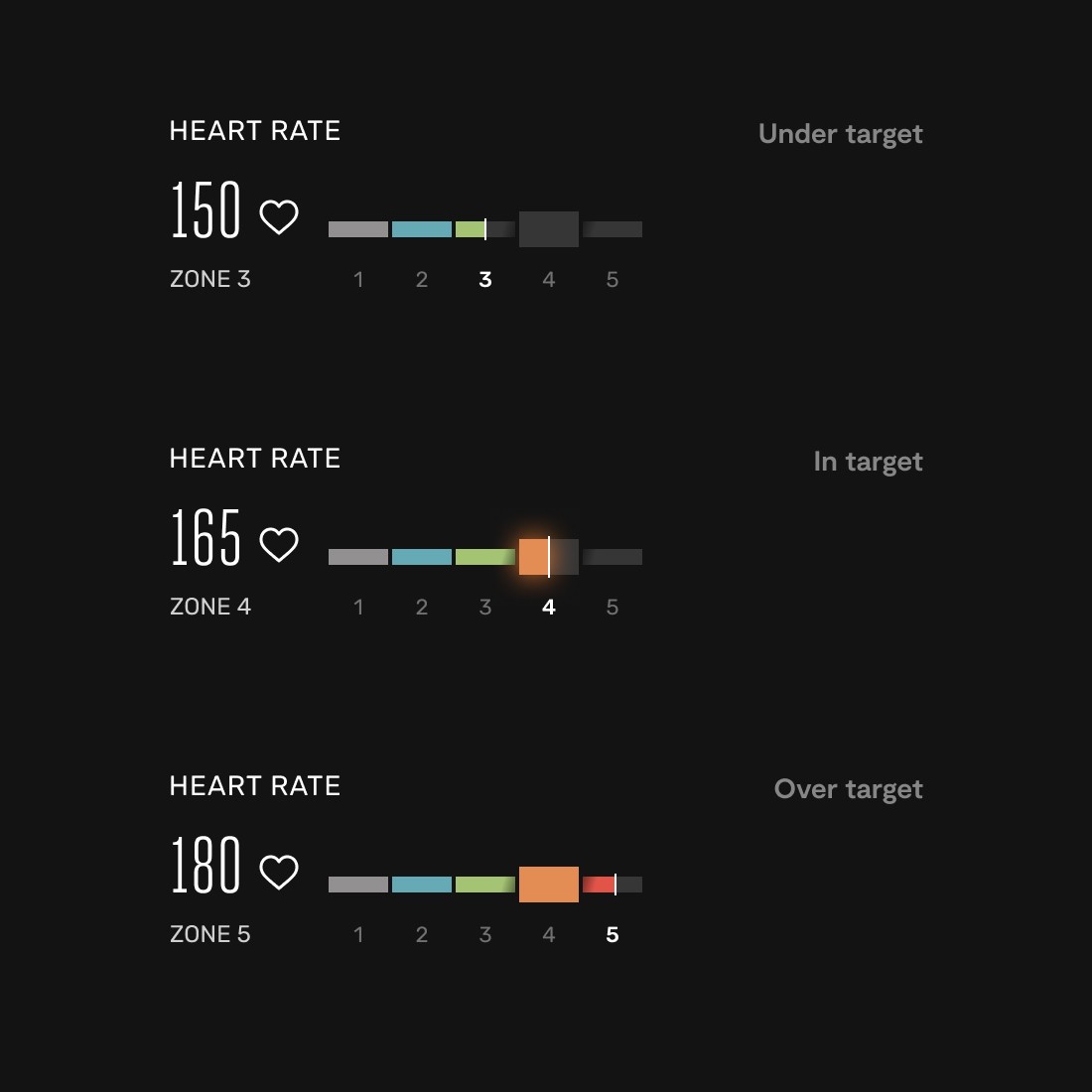
The heart rate hero:
Displays BPM + zone
Emphasizes target range
Uses sustained glow to reinforce correct physiological effort
We followed established heart rate color conventions to minimize cognitive friction.
The goal was not information — it was behavioral calibration.
Reps – Universal Fallback
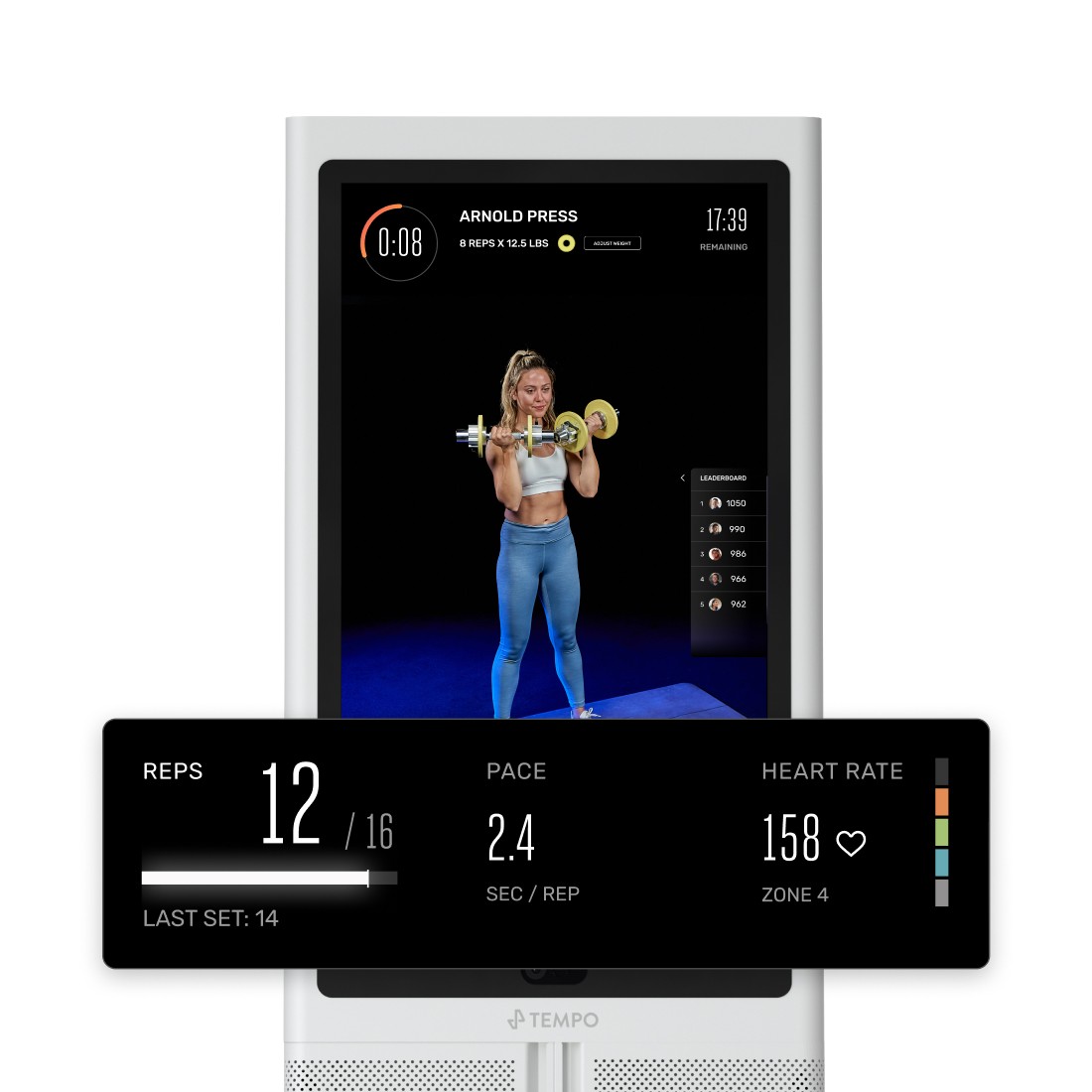
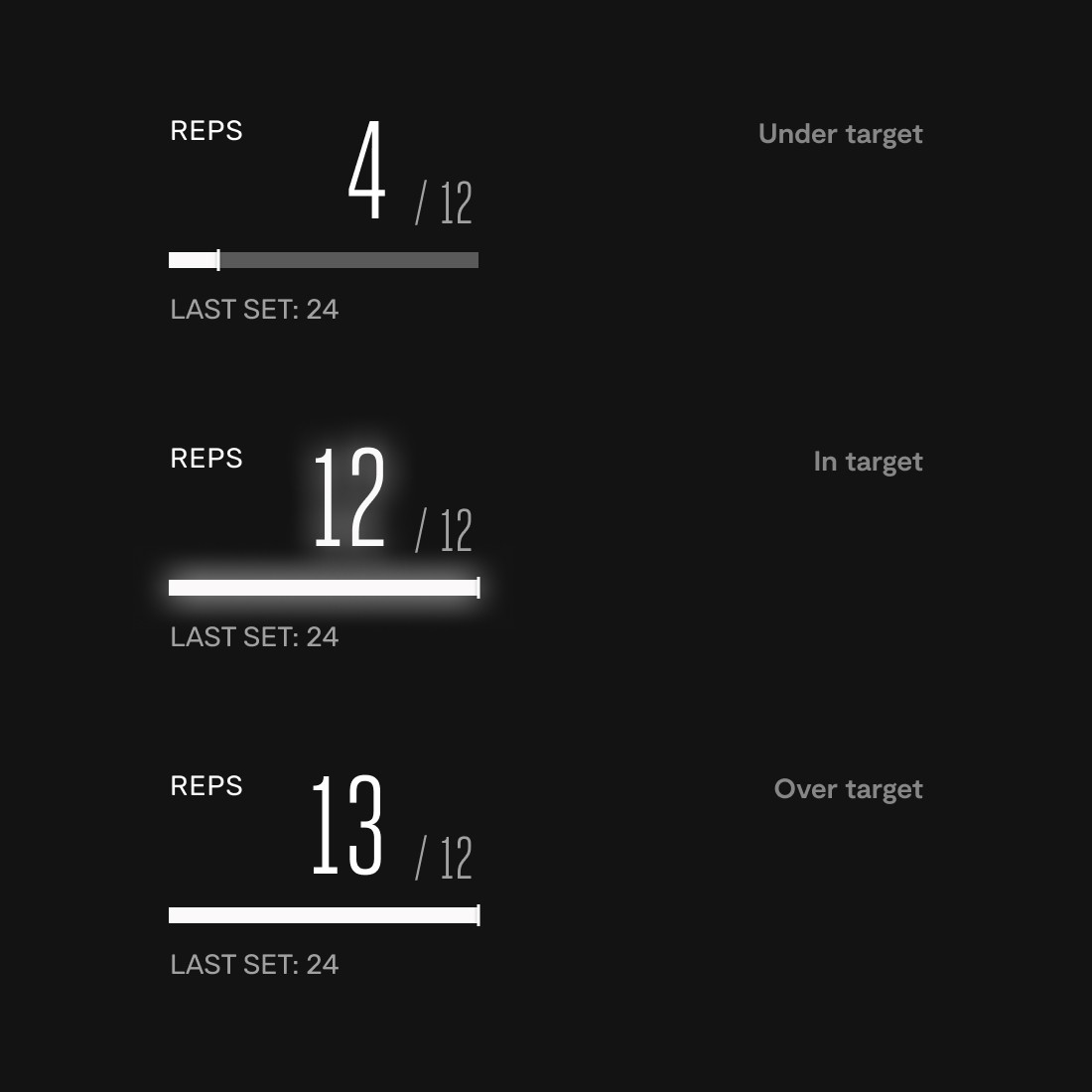
Reps remained the default hero when no physiological metric dominated.
As members approached their target:
Glow eased in
Visual reinforcement increased near completion
This created a sense of momentum at the hardest moment of the set.
Outcome
This marked the first major evolution of Tempo’s workout UI.
From interviews and community feedback:
Members reported increased in-set focus
Noted improved tempo control in strength classes
Strategically, this project shifted the product from showcasing metrics to reinforcing domain principles — a foundation that influenced subsequent feature development.